> ## Documentation Index
> Fetch the complete documentation index at: https://docs.alleslabs.com/llms.txt
> Use this file to discover all available pages before exploring further.
# Block Details
## Overview
In the Cosmos ecosystem, a block is a set of transactions that have been confirmed and added to the blockchain.
Each block contains a header with metadata about the block, such as the block height (its sequential number in the blockchain), the time it was mined, and a hash of the previous block's header, ensuring the integrity of the blockchain's history.
Blocks are produced at regular intervals by validators who take turns proposing new blocks in a process defined by the blockchain's consensus algorithm, such as Tendermint. This process ensures the network's security and decentralized agreement on the state of the blockchain.
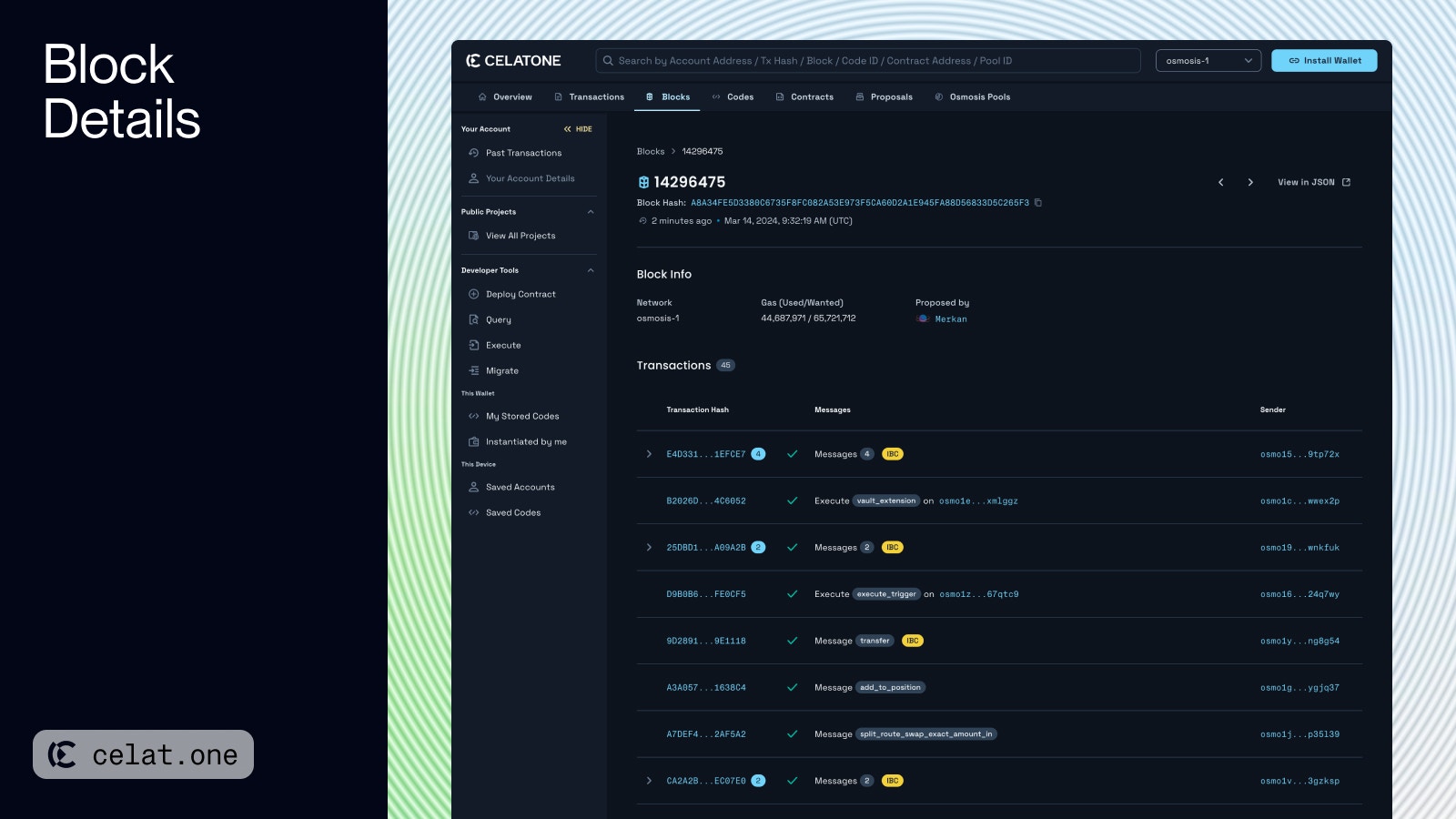 The **Block Details** page on Celatone provides information about a specific block in the blockchain:
* **Block Number**: Displays the unique identifier or height of the block in the blockchain sequence.
* **Block Hash**: Shows the unique hash value of the block for verification purposes.
* **Timestamp**: Indicates the exact time the block was added to the blockchain.
* **Block Info**: Includes the network name, the gas used versus the gas limit for the block, and the proposer of the block.
* **Transactions**: Lists all transactions included in the block, along with their hashes, the type of messages they contain, senders, and a feature to log in to comment on each transaction.
For detailed transactions and operations contained within the block, users can view the information in JSON format.
## Block Details in MiniEVM
This section appears only on MiniEVM networks. It indicates that the transaction involves EVM-related messages, resulting in the creation of an EVM transaction
In MiniEVM networks, there's an additional tab in the Transactions section to view both Cosmos and EVM transactions within a block. It's important to note that the number of Cosmos transactions is typically equal to or higher than the number of EVM transactions. This is because every EVM transaction is generated from a Cosmos transaction, while a Cosmos transaction with multiple EVM-related messages will not generate any EVM transaction.
[See more in EVM Transaction Details](https://docs.alleslabs.com/user-guide/evm/transaction-detail)
The **Block Details** page on Celatone provides information about a specific block in the blockchain:
* **Block Number**: Displays the unique identifier or height of the block in the blockchain sequence.
* **Block Hash**: Shows the unique hash value of the block for verification purposes.
* **Timestamp**: Indicates the exact time the block was added to the blockchain.
* **Block Info**: Includes the network name, the gas used versus the gas limit for the block, and the proposer of the block.
* **Transactions**: Lists all transactions included in the block, along with their hashes, the type of messages they contain, senders, and a feature to log in to comment on each transaction.
For detailed transactions and operations contained within the block, users can view the information in JSON format.
## Block Details in MiniEVM
This section appears only on MiniEVM networks. It indicates that the transaction involves EVM-related messages, resulting in the creation of an EVM transaction
In MiniEVM networks, there's an additional tab in the Transactions section to view both Cosmos and EVM transactions within a block. It's important to note that the number of Cosmos transactions is typically equal to or higher than the number of EVM transactions. This is because every EVM transaction is generated from a Cosmos transaction, while a Cosmos transaction with multiple EVM-related messages will not generate any EVM transaction.
[See more in EVM Transaction Details](https://docs.alleslabs.com/user-guide/evm/transaction-detail)