> ## Documentation Index
> Fetch the complete documentation index at: https://docs.alleslabs.com/llms.txt
> Use this file to discover all available pages before exploring further.
# Pool List
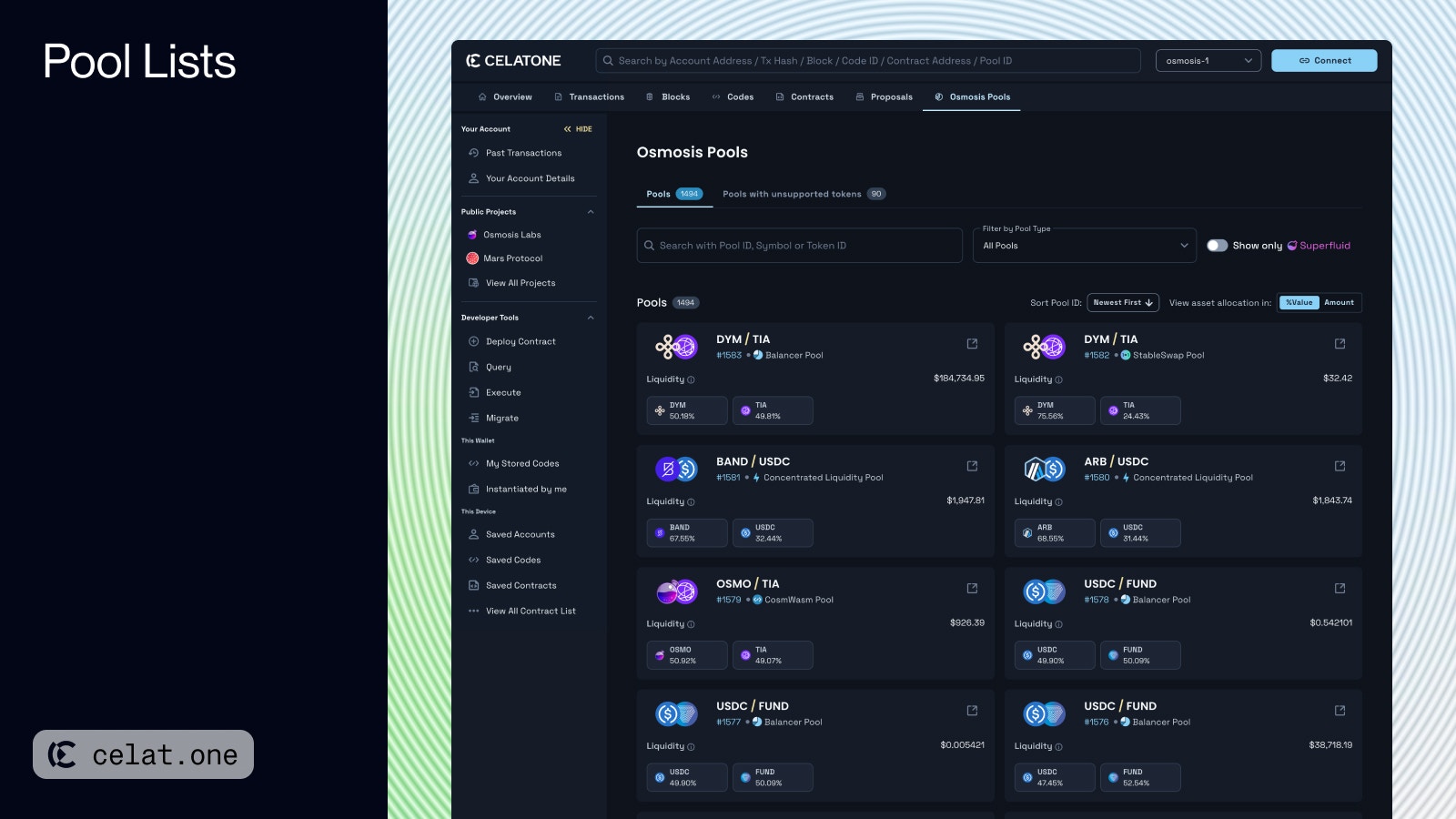
The "Osmosis Pool List" feature on Celatone serves as a comprehensive list for users to explore various liquidity pools available on the Osmosis platform with key details like pool ID, pool type, liquidity, and the tokens involved.
 ## Available Actions
* **Clicking** the pool card navigates you to view the selected Pool Details. Alternatively, you can click the "See in Osmosis" icon button to navigate to the pool within the Osmosis Webapp.
* **Search and Filter**: Users can search for pools using the pool ID, symbol, or token ID, and apply filters between 4 types of pool.
* **Superfluid Staking:** You can filter to see only Superfluid Staking enabled pool. [Read more about Superfluid Staking](https://docs.osmosis.zone/osmosis-core/modules/superfluid/)
* **Sort by Pool ID**: Allows users to sort pools by newest or oldest first.
* **Asset Allocation Display:** Users can switch between viewing the asset allocation in percentage and exact token amount within the pool.
## Available Actions
* **Clicking** the pool card navigates you to view the selected Pool Details. Alternatively, you can click the "See in Osmosis" icon button to navigate to the pool within the Osmosis Webapp.
* **Search and Filter**: Users can search for pools using the pool ID, symbol, or token ID, and apply filters between 4 types of pool.
* **Superfluid Staking:** You can filter to see only Superfluid Staking enabled pool. [Read more about Superfluid Staking](https://docs.osmosis.zone/osmosis-core/modules/superfluid/)
* **Sort by Pool ID**: Allows users to sort pools by newest or oldest first.
* **Asset Allocation Display:** Users can switch between viewing the asset allocation in percentage and exact token amount within the pool.